What's Audio Interface Used For? Music Production FAQs For Beginners, Answered
Key Takeaways
- An audio interface is a hardware device that converts analog audio signals from microphones and instruments into digital signals for computer recording, while providing superior sound quality compared to built-in computer audio.
- Professional audio interfaces offer studio-quality preamps, low latency monitoring, and dedicated inputs that computer sound cards simply cannot match for home recording setups.
- Essential beginner features include XLR combo inputs with phantom power, direct monitoring capabilities, and MIDI connectivity for controllers and synthesizers.
- Modern audio interfaces include advanced DAC technology and bundled software to create a complete recording solution right out of the box.
Starting a home recording journey can feel overwhelming, especially when technical terms like "audio interface" get thrown around without clear explanations. The truth is, understanding what an audio interface does and why it's needed will completely change how beginners approach music production. This guide breaks down everything needed to make an informed decision about this important piece of recording equipment.
Audio Interfaces Convert Sound for Digital Recording
An audio interface is a hardware device that acts as a bridge between the analog world of microphones and instruments and the digital realm of computer-based recording. The device converts analog audio signals into digital information that recording software can understand, then converts digital audio back into analog signals for headphones and speakers.
This conversion process happens through specialized analog-to-digital converters (ADCs) and digital-to-analog converters (DACs) built into the interface. Without this translation, computers can't properly capture or reproduce the nuances of acoustic instruments, vocals, or analog synthesizers. The quality of these converters directly impacts the fidelity of recorded audio, making the interface choice important for achieving professional results.
Why Your Computer's Sound Card Isn't Enough
1. Studio-Quality Preamps vs. Built-In Audio
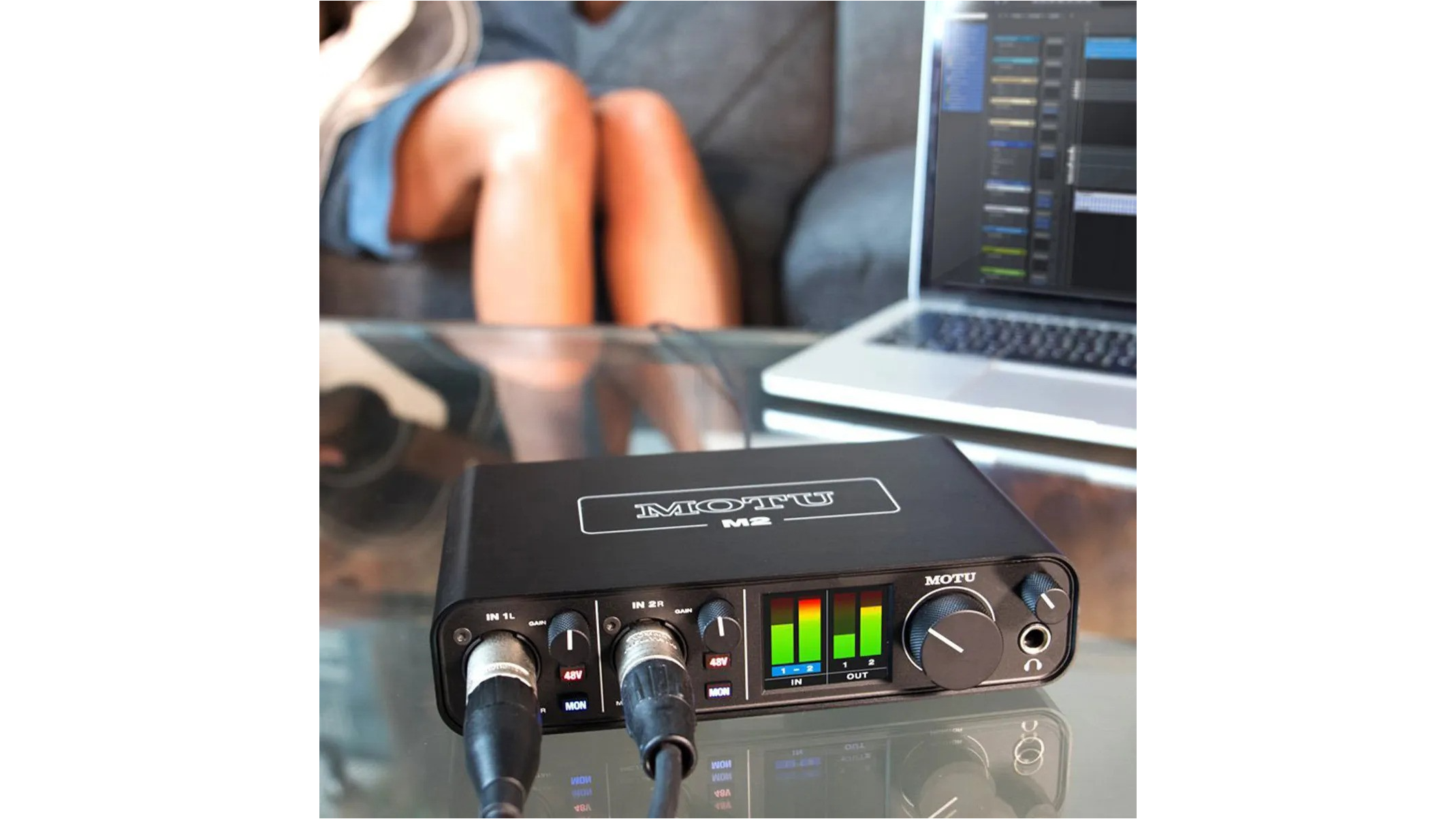
Computer sound cards prioritize basic functionality over audio quality, using minimal preamp circuits that add noise and distortion to recordings. Professional audio interfaces feature dedicated preamp circuits designed specifically for capturing clean, detailed audio signals. The MOTU M2 USB Audio Interface exemplifies this difference with its ultra-clean preamp circuits that achieve a measured -129.5 dBu EIN on mic inputs, ensuring pristine signal capture.
Studio-quality preamps provide the necessary gain boost for microphones while maintaining low noise floors and wide dynamic range. This translates to recordings with greater clarity, detail, and professional polish that simply cannot be achieved through standard computer audio inputs.
2. Dedicated Inputs for Professional Equipment
Most computers offer only basic 3.5mm stereo inputs, which cannot accommodate professional microphones or instrument cables. Audio interfaces provide XLR inputs for microphones, 1/4-inch inputs for instruments, and combination inputs that handle both connection types seamlessly.
These dedicated inputs include features like phantom power for condenser microphones and high-impedance (Hi-Z) inputs for electric guitars and basses. Without these specialized connections, home producers are limited to consumer-grade equipment that compromises recording quality from the start.
3. Low Latency Performance for Real-Time Monitoring
Computer sound cards introduce significant delay (latency) between input and output, making real-time monitoring virtually impossible. This delay disrupts the recording process and makes it difficult for musicians to perform naturally while listening to their input signal.
Professional audio interfaces minimize latency through optimized drivers and direct monitoring capabilities. Advanced interfaces can achieve very low, near-zero latencies, enabling musicians to monitor their performance without noticeable delay, maintaining natural timing and feel during recording sessions.
Features Every Beginner Should Know
XLR Combo Inputs and Phantom Power
XLR combo inputs represent the gold standard for audio interface connectivity, accepting both XLR microphone cables and 1/4-inch instrument cables in a single jack. This versatility allows beginners to connect condenser microphones, dynamic microphones, electric guitars, keyboards, and other instruments without requiring multiple input types.
Phantom power (typically +48V) supplies electrical power to condenser microphones through the XLR cable, eliminating the need for external power sources. This feature opens up access to professional-grade condenser microphones that capture vocals and acoustic instruments with exceptional detail and sensitivity. Beginners should ensure their chosen interface includes phantom power for maximum microphone compatibility.
Direct Monitoring Capabilities
Direct monitoring routes input signals directly to headphones or speakers before they pass through the computer, eliminating latency during recording. This feature allows musicians to hear their performance in real-time without the delay introduced by computer processing.
Quality direct monitoring includes individual level controls for each input, stereo/mono switching, and the ability to blend direct input signals with computer playback. This functionality is valuable for overdubbing, where musicians need to hear both their live input and previously recorded tracks simultaneously without timing issues.
MIDI Connectivity for Controllers and Synthesizers
MIDI (Musical Instrument Digital Interface) input and output ports enable communication between the audio interface and MIDI keyboards, controllers, drum machines, and hardware synthesizers. These connections allow for recording and controlling virtual instruments, synchronizing external equipment, and expanding creative possibilities beyond audio recording alone.
Modern interfaces often include traditional MIDI DIN ports, and their USB connection provides MIDI functionality, offering compatibility with both vintage and contemporary electronic instruments. This connectivity transforms the interface into a hub for both audio and MIDI data.
Advanced Technologies That Make a Difference
High-Quality Digital-to-Analog Converters (DACs)
The digital-to-analog converter determines how accurately an interface reproduces recorded audio through headphones and speakers. Premium DAC technology, such as the ESS Sabre32 Ultra DAC found in professional interfaces, delivers exceptional dynamic range and low noise floor for transparent audio reproduction.
High-quality DACs preserve the subtle details and spatial information in recordings, ensuring that what producers hear during mixing accurately represents their work.
Advanced Audio Processing and Dynamic Range
Dynamic range measures an audio interface's ability to capture both quiet and loud sounds without distortion or noise. Professional interfaces achieve dynamic ranges of 120 dB or higher, providing headroom for capturing everything from whispered vocals to aggressive drum hits with equal fidelity.
Advanced audio processing includes features like automatic gain control, built-in limiting, and real-time metering that help beginners achieve optimal recording levels. These technologies prevent common recording mistakes like clipping and provide visual feedback for maintaining professional signal levels throughout the recording process.
Getting Started: Software and Connectivity Options
1. Included DAW Software for Beginners
Most audio interfaces include "lite" versions of professional Digital Audio Workstation (DAW) software, providing beginners with everything needed to start recording immediately. Popular bundles include Ableton Live Lite, Pro Tools First, and MOTU Performer Lite, along with instrument libraries and sample collections.
These software packages eliminate the need for additional purchases while learning the basics of recording, editing, and mixing. The software typically includes tutorials and preset templates that guide beginners through common recording scenarios and production techniques.
2. USB-C and Modern Connection Standards
USB-C connectivity represents the current standard for audio interface connections, offering faster data transfer rates and universal compatibility with modern computers, tablets, and even smartphones. USB-C cables are reversible, eliminating connection confusion and providing reliable power delivery for bus-powered interfaces.
Modern interfaces maintain backward compatibility with USB-A connections while embracing USB-C for future-proofing. This dual compatibility helps ensure the interface will work with both current and future devices, often with included cables for different USB types, minimizing the need for separate adapters or connection compromises.
3. Setting Up Your First Home Studio Hub
The audio interface serves as the central hub for connecting all studio equipment, from microphones and instruments to studio monitors and headphones. Proper setup involves connecting input sources, configuring monitoring paths, and establishing MIDI connections for keyboards and controllers.
Successful home studio setup requires understanding signal flow, gain staging, and monitoring configuration. The interface's role extends beyond simple recording to include playback routing, headphone distribution, and integration with external effects processors and hardware instruments.
Start Recording Professional-Quality Audio Today
Choosing the right audio interface turns home recording from a frustrating technical challenge into an inspiring creative process. The combination of quality preamps, low latency monitoring, and professional connectivity opens up unlimited recording possibilities while ensuring that creative ideas are captured with maximum fidelity.
Modern interfaces eliminate the technical barriers that once separated bedroom producers from professional studios, providing access to the same signal quality and functionality found in commercial recording facilities. With proper interface selection and setup, beginners can achieve professional results from their very first recording session.
The investment in a quality audio interface pays dividends throughout the entire music production journey, serving as the foundation for years of creative growth and professional development. From first demos to finished albums, the right interface ensures that every musical idea is captured with the clarity and detail it deserves.
Sam Ash
City: Hicksville
Address: 278 Duffy Ave
Website: https://www.samash.com/


Comments
Post a Comment